Do you have friends who play games via Facebook apps? You know you do if you frequently receive invitations to play those games.

Often, these friends have no idea that the game is sending invitations on their behalf. It’s just part of the “service” the game provides when you sign up for it through Facebook. But, did you know that you can block these invitations without having to block your friend?
Here’s how:
- Start by clicking the Padlock icon at the top left corner of your screen.
- Then, click the See More Settings link.

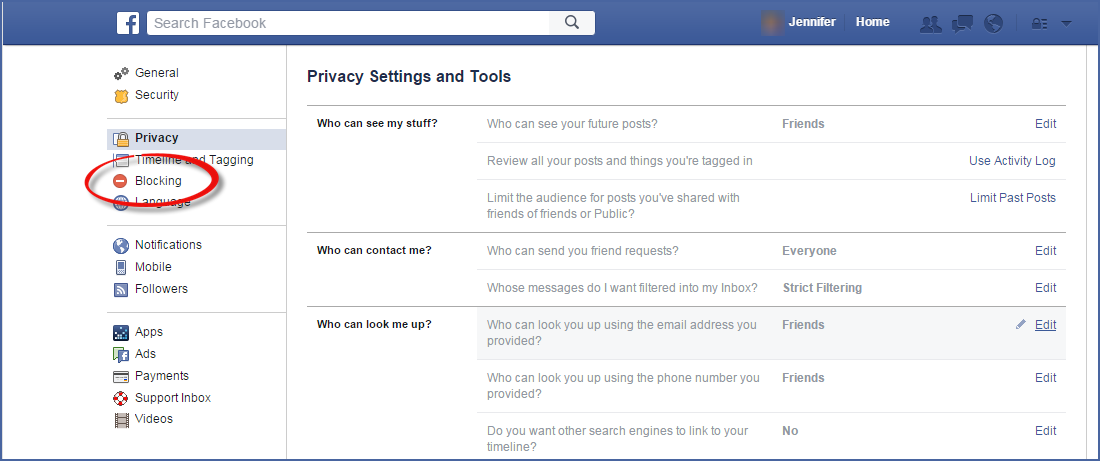
- That will bring up the Privacy Settings and Tools screen. From here, you want to click the Blocking option at the left side of the screen.
- Now you’ll see the Manage Blocking screen. Scroll down the window until you can see the Block Apps section.
- Click in the Block apps box and begin typing the name of the app or game.
In my case, my friend invited me to play Jackpot Party Casino Slots. So, I started typing, and the name popped up. - Click to select the name from the list.
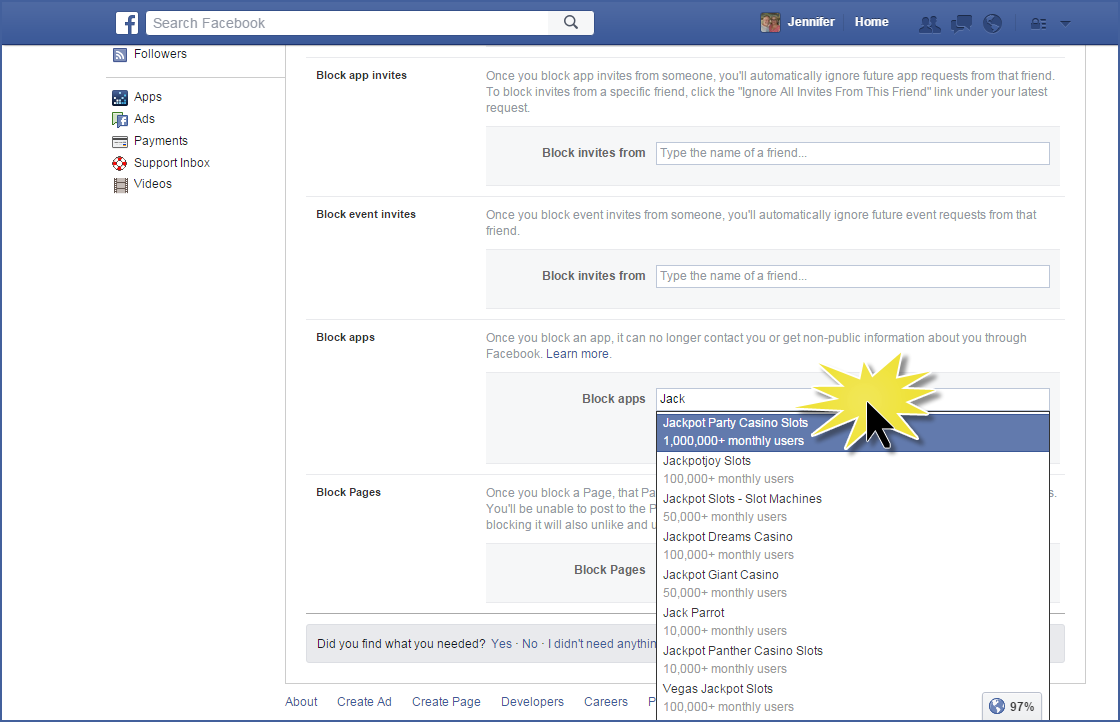
That will add the app to the block list. You should not receive any more invitations from this app, even if your friend sends them.
There is no Save option on this screen. So, once you see the app on the block list, just click your Home button at the top to continue your Facebook browsing!
